Carte SIM et Internet à Madagascar en 2026 : comment rester connecté
Divulgation d’affiliation : Cet article contient des liens sponsorisés vers des hôtels, voyagistes, assureurs et autres services de voyage. Nous percevons une petite commission si vous réservez via nos liens, sans coût supplémentaire pour vous.
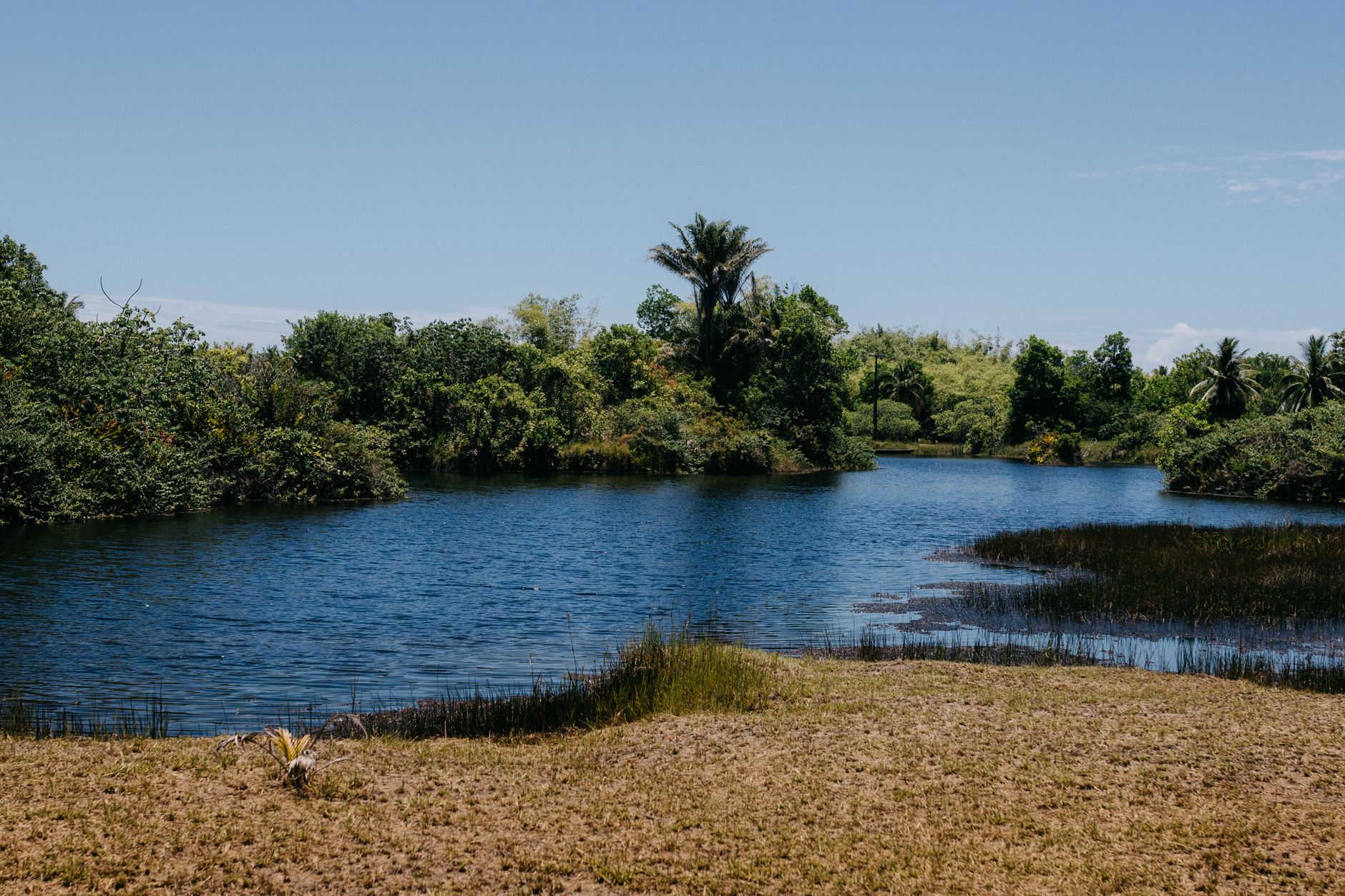
Carte SIM et Internet à Madagascar en 2026 — En bref
- Meilleure option : une carte SIM prépayée locale bon marché avec un forfait data (Telma, Orange ou Airtel)
- Où l’acheter : à l’aéroport à l’arrivée ou en ville — apportez votre passeport pour l’enregistrement
- Couverture : bonne à Antananarivo et dans les villes, irrégulière ou inexistante dans les parcs et les régions reculées — attendez-vous à être hors ligne par moments
- eSIM : une alternative pratique pour les téléphones récents
- Planifiez votre itinéraire avec une locale : contactez Carla
- Réservez des excursions : sur GetYourGuide
- Protection des vols : EU261 jusqu’à 600 € par passager
- Assurance voyage : SafetyWing Nomad Insurance
- Où loger : séjours à Antananarivo sur Agoda
📱 Rester chargé & connecté à Madagascar
Coupures fréquentes, couverture rurale inégale. De quoi rester chargé et en ligne :
- Batterie externe 20 000 mAh — 4+ charges malgré les coupures de courant. Voir sur Amazon →
- Batterie solaire — se recharge au soleil hors réseau. Voir sur Amazon →
- Adaptateur universel (USB-C) — prises de type européen à Madagascar. Voir sur Amazon →
- Chargeur USB multi-ports — une prise devient quatre. Voir sur Amazon →
- Organiseur câbles — garde câbles et adaptateurs rangés. Voir sur Amazon →
En tant que Partenaire Amazon, nous réalisons un bénéfice sur les achats éligibles.
Rester connecté à Madagascar est l’une de ces choses qui s’avèrent plus faciles — et moins chères — que la plupart des nouveaux venus ne l’imaginent, jusqu’au moment précis où elles ne le sont plus. À Antananarivo et dans les grandes villes, une carte SIM prépayée locale avec un forfait data coûte très peu et vous garde en ligne pour les cartes, la messagerie et l’appel vidéo occasionnel. Puis vous roulez une heure dans la campagne, jetez un œil à votre téléphone, et le signal disparaît discrètement. Ce contraste, entre la connectivité aisée des villes et les longues plages hors ligne des endroits sauvages, résume toute l’histoire d’Internet à Madagascar.
Ce guide passe en revue vos options réalistes — une SIM locale, une eSIM, l’itinérance internationale et le wifi des hôtels — puis aborde franchement la question de la couverture : où vous aurez un signal puissant, où vous n’en aurez pas, et comment planifier en fonction des zones blanches plutôt que de vous laisser surprendre. Si vous établissez encore les bases de votre voyage, commencez par nos conseils de voyage à Madagascar pour les débutants, puis revenez ici pour régler la question de la connectivité.
La réponse courte : une SIM locale en ville, hors ligne dans la nature
Si vous ne lisez qu’un seul paragraphe, lisez celui-ci. La meilleure façon de rester connecté à Madagascar est d’acheter une carte SIM prépayée locale chez Telma, Orange ou Airtel et de la charger d’un forfait data. C’est peu coûteux, cela fonctionne bien à Antananarivo et dans les grandes villes, et cela vous épargne le coût souvent vertigineux de l’itinérance sur votre forfait d’origine. Vous pouvez en acheter une à l’aéroport d’Ivato à l’atterrissage, ou dans n’importe quel centre-ville, et vous aurez besoin de votre passeport pour l’enregistrer.
Le hic, c’est la couverture. La data mobile est réellement bonne dans la capitale et les villes régionales, mais elle s’amenuise vite dès que vous partez vers les parcs nationaux, le long des longues portions de la RN7, et à travers l’intérieur reculé — précisément les endroits que la plupart des voyageurs viennent voir à Madagascar. La réponse honnête est donc : connecté en ville, hors ligne dans la nature. Préparez-vous aux deux. Téléchargez ce dont vous avez besoin avant de quitter une ville couverte, et considérez les plages hors ligne comme une partie de l’expérience plutôt que comme un problème à résoudre.
Vos options de connectivité
Il existe quatre façons concrètes de rester en ligne à Madagascar, et la plupart des voyageurs finissent par combiner la première et la dernière. Voici comment elles se comparent.
Carte SIM prépayée locale (l’option recommandée)
Une SIM locale est l’option que nous recommandons à presque tout le monde. Les trois principaux opérateurs mobiles — Telma, Orange et Airtel — vendent tous des cartes SIM prépayées avec des forfaits data bon marché, et n’importe lequel d’entre eux vous mettra en ligne pour une fraction du coût de l’itinérance. Vous achetez la SIM, vous l’enregistrez avec votre passeport, vous la rechargez avec un forfait data, et vous êtes connecté.
Les avantages pratiques sont réels : la data est bon marché, les recharges sont faciles à trouver dans n’importe quelle ville, et vous utilisez le même réseau que les habitants, ce qui signifie que votre couverture correspond à ce qui est réellement disponible dans la région. Pour un séjour de plus de quelques jours, c’est presque toujours le choix le plus économique et le plus fiable. La seule exigence est que votre téléphone soit débloqué — c’est-à-dire non lié à un seul opérateur de votre pays. La plupart des téléphones modernes achetés comptant sont débloqués ; si le vôtre est venu avec un forfait, vérifiez avant de partir.
eSIM (pour les téléphones récents)
Si vous avez un téléphone récent compatible eSIM, c’est une alternative de plus en plus pratique. Une eSIM est une SIM numérique que vous activez en scannant un code ou en installant un profil, donc il n’y a pas de carte physique à changer ni de file d’attente à l’arrivée. Vous pouvez acheter et activer une eSIM de voyage avec une allocation data pour Madagascar ou la région avant même de quitter votre domicile, ce qui veut dire que vous atterrissez déjà connecté.
Les eSIM sont particulièrement intéressantes si vous voulez éviter le kiosque SIM de l’aéroport, ou si vous préférez garder votre numéro habituel actif sur votre SIM physique tout en utilisant la data sur l’eSIM. La contrepartie, c’est que les eSIM de voyage peuvent coûter plus cher qu’une SIM prépayée locale, et que la couverture sous-jacente dépend toujours du réseau malgache avec lequel le fournisseur d’eSIM est partenaire — une eSIM ne vous donne pas un meilleur signal dans un parc national qu’une SIM locale. Vérifiez que votre téléphone est compatible eSIM et n’est pas verrouillé par un opérateur avant de compter dessus.
Itinérance internationale (généralement chère)
Activer l’itinérance avec votre opérateur d’origine est l’option la plus simple de toutes — vous ne faites rien, votre téléphone fonctionne simplement à l’atterrissage — et pour cette raison, elle est tentante. Le problème, c’est le coût. L’itinérance vers Madagascar est généralement chère, et la data en particulier peut grimper de façon alarmante si vous consultez cartes et messages tout au long de la journée. À moins que votre forfait d’origine n’inclue un véritable forfait international généreux couvrant Madagascar (la plupart ne le font pas), l’itinérance vaut mieux comme solution de secours d’urgence que comme plan principal.
Si vous laissez l’itinérance activée, désactivez l’itinérance des données et fiez-vous au wifi jusqu’à ce que vous ayez acheté une SIM locale, puis désactivez-la complètement. C’est sinon un moyen facile de rentrer chez soi avec une facture désagréable.
Wifi des hôtels et lodges
La plupart des hôtels et de nombreux lodges proposent le wifi, et c’est un complément utile — mais cela doit rester un complément, pas votre fondation. À Antananarivo et dans les grandes villes, le wifi des hôtels peut être parfaitement convenable pour les e-mails, la messagerie et la navigation légère. Dans les parcs et les lodges reculés, il est souvent lent, partagé entre de nombreux clients, limité à la zone de réception, ou tout simplement peu fiable. Nous y reviendrons plus en détail ci-dessous, mais en résumé : ne prévoyez pas de travailler, de téléverser de gros fichiers ou de passer des appels vidéo importants via le wifi d’un lodge dans une région reculée. Considérez-le comme un bonus quand il est bon et supposez qu’il ne le sera pas quand vous êtes dans un endroit sauvage.
Acheter une SIM locale
Acheter une SIM à Madagascar est simple une fois que vous connaissez la marche à suivre. Vous avez deux options principales : en prendre une à l’aéroport dès l’atterrissage, ou en acheter une en ville.
À l’aéroport à l’arrivée. L’aéroport d’Ivato à Antananarivo dispose de kiosques d’opérateurs mobiles où vous pouvez acheter et enregistrer une SIM juste après le passage de l’immigration. L’avantage est évident — vous sortez du terminal déjà connecté, ce qui est rassurant si vous avez un transfert à organiser ou un chauffeur à contacter. La contrepartie, c’est que les kiosques de l’aéroport peuvent être plus fréquentés et parfois plus chers que l’achat en ville, et le choix peut y être plus limité.
En ville. Les boutiques d’opérateurs et d’innombrables petits vendeurs dans n’importe quelle ville vendent des cartes SIM, et le personnel a l’habitude d’aider les voyageurs à s’installer. Acheter en ville vous donne un peu plus de choix et la possibilité de demander quel réseau offre la meilleure couverture pour votre destination. Dans les deux cas, la procédure est la même.
Vous aurez besoin de votre passeport. L’enregistrement de la SIM à Madagascar exige une pièce d’identité, alors apportez votre passeport lors de l’achat. Le vendeur enregistre vos informations pour activer la carte — c’est une étape routinière et rapide, mais vous ne pouvez pas la sauter. Une fois enregistrée, vous rechargez la SIM avec un forfait data, soit par l’intermédiaire du vendeur au moment de l’achat, soit ensuite avec du crédit de recharge, vendu partout dans les boutiques, kiosques et étals de rue à travers le pays. Recharger fait partie de la vie quotidienne à Madagascar, donc vous ne serez jamais loin d’un endroit où ajouter de la data.
Un petit conseil pratique : demandez au vendeur de vous aider à charger et activer votre premier forfait data avant de repartir, et vérifiez que la data fonctionne réellement pendant que vous êtes encore là. Cela évite bien des incertitudes plus tard, lorsque vous serez dans un endroit avec un signal plus faible et ne saurez pas si le problème vient de votre configuration ou de la couverture.
Choisir un opérateur
Le marché mobile de Madagascar est dominé par trois opérateurs : Telma, Orange et Airtel. Tous les trois vendent des SIM prépayées et des forfaits data, tous les trois sont largement utilisés, et pour la plupart des voyageurs, les différences entre eux comptent moins qu’une seule chose : la couverture là où vous allez réellement.
Plutôt que de vous tourmenter pour savoir quelle marque est « la meilleure » dans l’absolu, pensez à votre itinéraire. La qualité de la couverture varie selon la région et le réseau, donc l’opérateur qui donne à un ami un signal impeccable dans une partie du pays peut être plus faible ailleurs. La façon la plus fiable de choisir est de demander sur place — à votre hôtel, à votre chauffeur-guide ou au vendeur de la SIM — quel réseau fonctionne le mieux dans les zones précises que couvre votre itinéraire. Les gens qui vivent et voyagent dans une région savent exactement où chaque réseau tient bon et où il lâche.
Si vous voyagez beaucoup et voulez être prudent, certains voyageurs emportent des SIM de deux opérateurs et basculent de l’une à l’autre selon l’endroit où ils se trouvent, mais pour la plupart des voyages, une seule SIM locale sur un réseau bien choisi suffit amplement. L’essentiel est simple : choisissez en fonction de la couverture de votre itinéraire, pas de la réputation de la marque, et appuyez-vous sur les connaissances locales pour ce choix. Une spécialiste locale comme Carla peut vous dire quels réseaux tiennent le mieux dans les régions que traverse votre voyage.
Les réalités de la couverture par région
Voici la section à lire attentivement, car la couverture est l’endroit où les attentes et la réalité divergent le plus souvent à Madagascar. L’essentiel : la data mobile est bonne dans et autour d’Antananarivo et des grandes villes régionales, et irrégulière à inexistante partout ailleurs.
Dans la capitale et les villes, vous aurez généralement un signal data solide. Antananarivo, les capitales régionales et les villes animées sont bien desservies, et dans ces endroits, rester en ligne ressemble beaucoup à n’importe où ailleurs — cartes, messagerie et navigation fonctionnent sans problème.
Sur la route, le tableau change. Le réseau routier de Madagascar couvre d’énormes distances à travers un territoire peu peuplé, et le signal va et vient en conséquence. Le long du célèbre itinéraire de la RN7 à travers le sud de Madagascar, vous aurez de la couverture dans et autour des villes que vous traversez et de longues portions blanches entre elles. Il en va de même pour la plupart des trajets terrestres : le signal se concentre autour des localités et s’estompe sur la route ouverte. Comprendre comment se déplacer à Madagascar va de pair avec comprendre où vous serez hors ligne, car les deux sont étroitement liés.
Dans les parcs nationaux et les régions reculées, attendez-vous à peu ou pas de signal. Les parcs nationaux et réserves qui attirent les voyageurs à Madagascar sont, presque par définition, dans des endroits sauvages loin de toute infrastructure de télécommunications. À l’intérieur de nombreux parcs et à travers l’intérieur reculé, la côte et le sud, vous devez prévoir d’être hors ligne par moments. Ce n’est pas une défaillance de votre SIM ni le signe que vous avez choisi le mauvais réseau — c’est simplement la réalité de la connectivité dans un pays vaste, accidenté et peu développé. Construire votre itinéraire à Madagascar en gardant cela à l’esprit — en sachant à peu près quand vous serez connecté et quand vous ne le serez pas — transforme les zones blanches d’une surprise en une partie planifiée du voyage.
Data, appels et messagerie
Pour la plupart des voyageurs, la connectivité quotidienne à Madagascar repose sur la data plutôt que sur les appels traditionnels. Un forfait data prépayé sur une SIM locale est bon marché, et il couvre les choses que vous utiliserez réellement : cartes, e-mails, navigation, et surtout messagerie.
WhatsApp est largement utilisé à Madagascar, par les habitants, les hôtels, les chauffeurs et les voyagistes, et il deviendra probablement votre principal canal pour rester en contact. Les applications de messagerie consomment peu de data, fonctionnent à la fois sur la data mobile et le wifi, et vous permettent d’envoyer des notes vocales, des photos et des localisations, ce qui les rend idéales pour coordonner avec un chauffeur ou confirmer une réservation. Si vous organisez quoi que ce soit avec un guide ou un lodge avant ou pendant votre voyage, attendez-vous à ce que WhatsApp soit l’outil par défaut.
Les appels vocaux traditionnels et les SMS fonctionnent aussi, et une SIM locale vous donne un numéro malgache pratique pour appeler les hôtels ou les restaurants. Mais pour le contact international, la messagerie et les appels par data sont presque toujours moins chers et plus pratiques. La seule constante, quoi que vous utilisiez, est celle-ci : attendez-vous à des interruptions. Les messages resteront en attente d’envoi jusqu’à ce que vous retrouviez du signal, et c’est normal. Intégrez l’idée qu’une réponse peut prendre des heures plutôt que des minutes lorsque vous êtes dans la nature, et prévenez vos proches restés chez vous pour qu’ils ne s’inquiètent pas quand vous devenez silencieux.
Le wifi dans les hôtels et les lodges
Le wifi des hôtels et des lodges à Madagascar va du réellement bon au quasi inexistant, et le facteur déterminant est généralement l’emplacement. À Antananarivo et dans les grandes villes, de nombreux hôtels proposent un wifi parfaitement adéquat pour rattraper ses e-mails, écrire chez soi et naviguer légèrement. Les hôtels de ville plus confortables ont tendance à être les plus fiables.
Dans les parcs, sur la côte et dans les lodges reculés, l’histoire est différente. Le wifi peut être lent, limité à la zone de réception ou de restaurant, partagé entre tous les clients sur une connexion ténue, ou disponible seulement à certaines heures quand un générateur tourne. Parfois il existe de nom mais est à peine utilisable en pratique. Rien de tout cela n’est inhabituel — cela reflète l’éloignement et l’infrastructure, pas la qualité du lodge, qui peut être merveilleux à tous les autres égards.
La conclusion pratique : ne comptez pas sur le wifi d’un lodge pour quoi que ce soit d’important. Si vous devez travailler, téléverser de gros fichiers, rejoindre un appel vidéo ou respecter une échéance, ne supposez pas que vous pourrez le faire depuis un lodge reculé. Faites ce genre de choses pendant que vous êtes dans une ville avec une bonne connexion, et considérez tout wifi que vous trouvez dans la nature comme un agréable bonus plutôt qu’une garantie. Si la connectivité compte vraiment pour une partie de votre voyage, tenez-en compte dans le choix de l’endroit et du moment où vous logez.
Rester connecté sur la route
L’habitude la plus utile pour voyager à Madagascar est de se préparer à être hors ligne avant de perdre le signal. Un peu de prévoyance dans une ville bien couverte transforme les zones blanches d’une nuisance en non-problème.
Téléchargez des cartes hors ligne. Les applications de cartes vous permettent d’enregistrer des régions pour une utilisation hors ligne, et c’est essentiel à Madagascar. Avant de quitter une ville couverte, téléchargez la zone de carte pour l’itinéraire et la région à venir afin que votre téléphone puisse vous guider et afficher votre position même sans data. Les cartes hors ligne continueront de fonctionner grâce au GPS, qui n’a besoin d’aucun signal mobile.
Téléchargez tout ce que vous voudrez d’autre. Réfléchissez à l’avance à ce dont vous aurez besoin sans connexion — confirmations de réservation, votre itinéraire, numéros de contact clés, guides ou articles que vous voulez lire, divertissement pour les longs trajets — et enregistrez-les sur votre appareil tant que vous le pouvez. Une longue portion de la RN7 est bien plus agréable avec des podcasts et des lectures déjà téléchargés.
Planifiez en fonction des zones blanches. Si vous savez à peu près où votre signal va lâcher, vous pouvez envoyer les messages importants, confirmer la prochaine réservation et vérifier la route à venir pendant que vous êtes encore connecté. Savoir où vous serez hors ligne, c’est la moitié de la bataille ; l’autre moitié consiste simplement à effectuer vos tâches en ligne avant d’y arriver. C’est exactement le genre de détail qu’une spécialiste résidant à Madagascar peut vous aider à cartographier, pour que vous ne soyez jamais pris au dépourvu à avoir besoin d’un signal dont vous ne disposez pas.
Accepter d’être hors ligne
Voici un recadrage tout en douceur qui vaut la peine d’être emporté : les plages hors ligne ne sont pas un défaut de votre voyage, elles font partie de ce qui fait de Madagascar ce qu’il est. L’expression malgache mora mora — doucement, doucement, prenez votre temps — capture le rythme du voyage ici, et être injoignable pendant un moment s’accorde parfaitement à ce rythme.
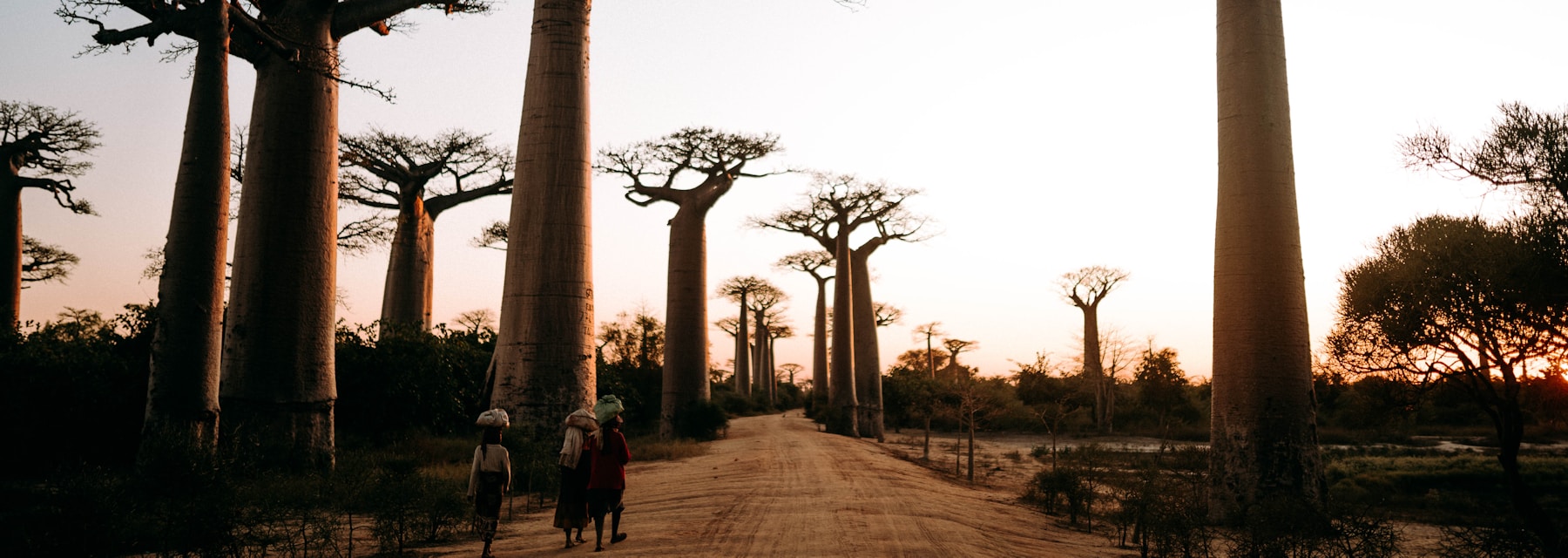
Certains des plus beaux moments à Madagascar surviennent quand aucun signal ne vient détourner votre attention — observer les lémuriens dans la canopée d’une forêt tropicale, dériver sur une rivière tranquille, s’asseoir sous un baobab immense tandis que la lumière vire à l’or, parler avec les gens avec qui vous voyagez au lieu de faire défiler un écran. Pour beaucoup de voyageurs, la déconnexion imposée devient l’un des cadeaux inattendus du voyage. Alors une fois le côté pratique réglé — SIM locale, cartes hors ligne, messages importants envoyés — accordez-vous la permission de laisser les zones blanches être simplement silencieuses. Vous retrouverez bientôt du signal, et les photos se téléverseront très bien quand ce sera le cas.
Conseils pratiques
- Gardez votre téléphone chargé. L’électricité peut être irrégulière, surtout dans les lodges reculés qui ne fonctionnent au générateur qu’une partie de la journée. Emportez une batterie externe, rechargez dès que vous avez le secteur, et maintenez votre téléphone chargé pour qu’une batterie à plat ne vous prive pas de vos cartes hors ligne au moment où vous en avez le plus besoin.
- Téléchargez des cartes hors ligne avant de quitter une zone couverte. Enregistrez les régions de tout votre itinéraire tant que vous avez une bonne data, pour que la navigation fonctionne où que vous alliez.
- Activez et testez votre SIM au point de vente. Confirmez que la data fonctionne avant de repartir de chez le vendeur.
- Apportez votre passeport pour acheter une SIM. L’enregistrement exige une pièce d’identité — vous ne pouvez pas le faire sans.
- Désactivez l’itinérance des données sur votre SIM d’origine une fois que vous en avez une locale, pour éviter une facture inattendue.
- Sauvegardez vos photos lorsque vous avez une connexion. Quand vous trouvez un bon wifi ou de la data en ville, sauvegardez vos photos dans le cloud pour qu’un téléphone perdu ou endommagé ne vous coûte pas vos souvenirs.
- Enregistrez les infos clés hors ligne. Gardez vos confirmations de réservation, numéros de contact et votre itinéraire accessibles sans connexion.
- Prévenez vos proches que vous deviendrez silencieux. Faites savoir à votre famille restée chez vous que les longs silences sont normaux pour que personne ne s’inquiète.
S’y rendre et bien voyager
La connectivité n’est qu’une pièce d’un voyage réussi ; arriver de façon fiable et être couvert si quelque chose tourne mal en sont deux autres. Si vos vols vers Madagascar transitent par l’Europe et que vous êtes retardé, annulé ou refusé à l’embarquement, vous pourriez avoir droit à une indemnisation jusqu’à 600 € par passager au titre du règlement EU261. Il vaut la peine de connaître vos droits avant de partir, car les itinéraires long-courriers vers Madagascar peuvent être perturbés.
Pour tout le reste — soins médicaux, interruptions de voyage, effets perdus — l’assurance voyage est essentielle, pas optionnelle, pour une destination aussi reculée que Madagascar. SafetyWing Nomad Insurance est une option souple et adaptée aux voyageurs, facile à mettre en place avant de partir, et exactement le type de couverture que vous voulez avoir sous la main lorsque vous êtes à plusieurs jours d’un grand hôpital. Régler votre couverture SafetyWing tôt, c’est une chose de moins à laquelle penser une fois sur la route.
Planifiez votre voyage connecté (et déconnecté) avec Carla
Savoir où vous aurez du signal et où vous n’en aurez pas est une information vraiment utile lorsque vous planifiez un itinéraire — et c’est exactement le genre de connaissance locale difficile à trouver en ligne. Carla, une spécialiste du voyage résidant à Madagascar, peut vous bâtir un itinéraire qui tient compte des zones blanches, vous dire quels réseaux tiennent là où vous allez, et veiller à ce que vos plages hors ligne tombent aux endroits où vous voudriez de toute façon être déconnecté.
Plutôt que d’assembler des cartes de couverture et des conseils de seconde main, vous obtenez un plan établi par quelqu’un qui parcourt ces régions et connaît la réalité de la connectivité de première main. Contactez Carla pour commencer à façonner votre voyage autour du fonctionnement réel de Madagascar. Pendant que vous planifiez, vous pouvez aussi parcourir les excursions et activités sur GetYourGuide et consulter les séjours à Antananarivo sur Agoda.
Foire aux questions
Puis-je acheter une carte SIM à l’aéroport à Madagascar ?
Oui. L’aéroport d’Ivato à Antananarivo dispose de kiosques d’opérateurs mobiles où vous pouvez acheter et enregistrer une SIM locale juste après l’immigration, ce qui vous permet de sortir déjà connecté. Apportez votre passeport, car l’enregistrement exige une pièce d’identité. Vous pouvez aussi acheter une SIM en ville si vous préférez, où le choix peut être un peu plus large.
Quel opérateur mobile offre la meilleure couverture à Madagascar ?
Les trois principaux opérateurs sont Telma, Orange et Airtel, et le « meilleur » dépend entièrement de votre destination — la couverture varie selon la région et le réseau. Plutôt que de choisir d’après la marque, demandez sur place (à votre hôtel, votre chauffeur-guide ou le vendeur de SIM) quel réseau fonctionne le mieux le long de votre itinéraire précis. Pour les voyages très étendus, certains voyageurs emportent deux SIM.
Aurai-je Internet dans les parcs nationaux ?
Généralement peu ou pas. Les parcs et réserves de Madagascar se trouvent dans des endroits reculés et sauvages, loin de toute infrastructure de télécommunications, vous devez donc prévoir d’être hors ligne par moments à l’intérieur et à travers l’intérieur reculé. Téléchargez des cartes hors ligne et tout ce dont vous avez besoin avant de quitter une ville couverte, et considérez la déconnexion comme une partie de l’expérience.
Dois-je utiliser une eSIM ou une SIM physique à Madagascar ?
Les deux fonctionnent. Une SIM physique locale est généralement l’option la moins chère et facile à acheter et recharger partout. Une eSIM est plus pratique si vous avez un téléphone récent compatible eSIM et voulez arriver déjà connecté sans passer par un kiosque, bien qu’elle puisse coûter plus cher. Dans les deux cas, la couverture sous-jacente dépend du réseau malgache concerné, donc aucune ne vous donne un meilleur signal dans les régions reculées.
Le wifi des hôtels est-il assez bon pour travailler à Madagascar ?
À Antananarivo et dans les grandes villes, de nombreux hôtels ont un wifi convenable pour les e-mails et le travail léger. Dans les parcs et lodges reculés, il est souvent lent, limité ou peu fiable, donc ne prévoyez pas d’y travailler, de rejoindre des appels vidéo ou de téléverser de gros fichiers. Faites les tâches dépendantes de la connexion pendant que vous êtes dans une ville bien couverte, et considérez le wifi reculé comme un bonus.
📶 Anticipez les zones blanches — demandez à Carla
Une spécialiste résidant à Madagascar sait où vous aurez du signal et où vous n’en aurez pas — et peut planifier votre itinéraire en conséquence. Contactez Carla.
Planifiez Votre Voyage à Madagascar
- Lire le guide de voyage complet Madagascar
- Explorer les itinéraires par style et durée
- Explorer le guide complet de la destination
Où Dormir